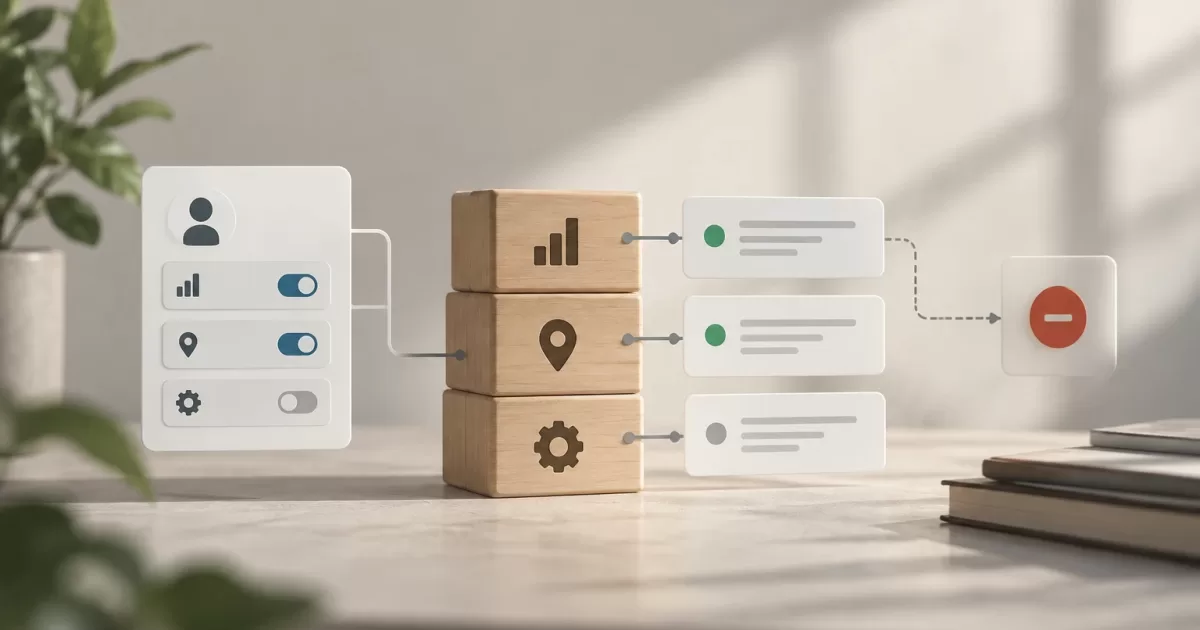

A customer completes a payment and returns to the store, but the confirmation page fails to load. Or the payment provider sends the same notification more than once. In both cases, the store may display a status that does not reflect what happened at the provider. The risk is not addressed by placing more trust in the return page: you need to distinguish between the browser response, the actual payment status, and the order status.
A WooCommerce payment confirmation should be treated as a verification and reconciliation process, not as an instruction to charge again. The goal is for each attempt to have its own identity, for repeated notifications not to generate duplicate effects, and for discrepancies to be reviewed before changing the order or triggering subsequent actions.
Why a delayed response should not change the order on its own

The buyer's return to the site and the provider's notifications serve different purposes. The return helps inform the customer, but it depends on the browser, connection, and session. A provider notification—for example, a webhook—comes from the payment system and may be delayed or repeated. No single signal should be interpreted without verifying its origin, its relationship to the payment attempt, and its meaning for the store.
A delay does not mean a payment has failed either. If the store charges again because it did not receive an immediate response, it may create two charges. Likewise, marking the order as paid just because the customer reached a success page can grant access or start fulfillment without a confirmed transaction.
It is useful to separate three outcomes: the status of each payment attempt, the events received from the provider, and the order's operational status in WooCommerce. An order can remain pending while an attempt is being verified; an earlier attempt can fail and a later one can succeed. Recording this sequence avoids reducing everything to a single label that is difficult to investigate.
Separate the attempt, notification, and order status
The order represents the purchase and its commercial lifecycle. The payment attempt represents a specific operation with the payment gateway. The notification is a message about an event, such as authorization, capture, decline, or refund. These entities are related, but they are not interchangeable. Each attempt should retain its provider identifier, amount, currency, date, and known result.
Before starting a new attempt, the workflow should check whether one is already in progress or a payment has already been confirmed for that order. If an operation is retried with the gateway, it is preferable to use an idempotency key supported by the provider. This allows a technical retry of the same request to be recognized as the same operation instead of becoming a second charge. The availability and behavior of these keys depend on the integration and provider; do not assume they are available.
A notification should be associated with an event identifier and the corresponding transaction or attempt identifier. If the provider does not offer a reliable unique identifier, define an appropriate deduplication strategy using the available data and document its limitations. Do not deduplicate by order alone: the same order may have multiple legitimate attempts.
Define valid transitions and handle out-of-order events
Before updating orders, establish which transitions are valid for each payment method. For example, a pending attempt can move to confirmed or failed; an older pending notification should not revert an attempt that is already confirmed. Authorization and capture can also be distinct states: authorization does not always mean the funds have been captured.
The integration should compare the incoming event with the recorded state and the associated transaction. If an event that has already been applied arrives again, recognize it and respond without repeating side effects. These effects may include reducing inventory, sending emails, granting access, or notifying an external system. Coordinate the state change with recording that the event was processed to reduce the chance that an intermediate failure leaves the order updated but the event unmarked, or vice versa.
Out-of-order events require an explicit rule, not a simple comparison of server timestamps. Use the semantics of the provider's states and, when necessary, query the transaction's current status through its API. If a safe transition cannot be determined, preserve the known status and send the case for review rather than inferring an outcome.
Validate, log, and update with traceability
Verify that the notification genuinely comes from the provider by following the mechanism documented for that integration, such as signature validation. Also check that the account or environment corresponds to the store, and that the amount, currency, reference, and order match what is expected. Do not accept a message just because it contains a valid identifier or arrives at a hard-to-guess URL.
Save a useful record before applying changes: the event identifier, provider reference, related order and attempt, event type, validation result, time received, and decision made. Protect credentials and personal data: log what is needed for investigation, not full card numbers or secrets. Avoid including sensitive data in debug logs accessible to more people than necessary.
A discrepancy between WooCommerce and the provider is not resolved by creating another transaction. Check the operation's status in the provider's dashboard or API and compare it with the store's records. If the payment is confirmed, update the order through the gateway-compatible workflow and verify that subsequent actions run only once. If the result remains ambiguous, do not mark the order as paid or start a new charge until the issue is clarified.
Create a review queue for exceptions
Define which cases require human review: mismatched amounts or currencies, a reference with no associated order, an invalid signature, multiple confirmed payments for one purchase, an unexpected refund, or a status that does not allow a transition. The queue should show the necessary references, the last known status, and the reason for the exception, with appropriate permissions for investigation.
The review should follow repeatable steps: check the transaction with the provider, verify the order and its attempts, decide whether to update, refund, or escalate, and record who made the decision. Do not resolve discrepancies by deleting records or directly changing statuses in the database; doing so removes context and can desynchronize extensions or subsequent tasks.
Test delays, duplicates, and partial failures
Test the situations that disrupt the normal workflow in a controlled environment: the browser return before or after the webhook, duplicate notifications, out-of-order events, prolonged delays, invalid signatures, and the store going down during processing. Include partial failures, such as saving the status and losing the connection before responding to the provider, to verify that a retry does not duplicate actions.
Also check that a failed attempt followed by a successful one is represented clearly, that an old notification does not revert the status, and that a repeated charge request does not create another transaction. Use the gateway's testing tools and non-production data; do not test charging scenarios using real orders. Verify the result in both WooCommerce and the provider's dashboard or API.
Operational checklist for a possible discrepancy

- Identify the order, each attempt, and their provider references; do not assume that one reference is equivalent to another.
- Check the transaction's current status with the authoritative source and compare the amount and currency.
- Check whether the event was authenticated, already processed, or received out of order.
- Confirm whether the order triggered subsequent effects, such as access, email, or shipment preparation.
- Do not charge again while there is an attempt whose outcome has not been clarified.
- Document the decision and escalate ambiguous cases; if two charges occurred, follow the provider's refund procedure and communicate the outcome to the customer.
A reliable workflow does not require every response to arrive on time: it requires that delays, duplicates, and uncertain statuses do not blindly trigger irreversible actions. Separating attempts from the order, validating each event, applying idempotent transitions, and reviewing exceptions makes it possible to investigate with evidence and reduces the risk of duplicate charges.